OpenCode TUI mastery: Terminal interface cho senior dev
Master TUI - Giao diện terminal hoàn hảo cho senior dev

Khi terminal của bạn đang “lãng phí” 90% khả năng
Tôi đã chứng kiến hàng trăm developer Việt Nam dùng OpenCode với default terminal, và họ đang bỏ lỡ 90% sức mạnh.
Có developer hỏi tôi: “Sao anh dùng OpenCode nhanh thế? Em cũng dùng mà thấy chậm quá.”
Tôi hỏi lại: “Bạn đang dùng terminal gì?”
“Terminal mặc định của Mac ạ.”
**Vấn đề ở đây:** Không phải OpenCode chậm, mà terminal bạn đang dùng chưa được optimize.
Hôm nay, tôi sẽ dạy bạn biến terminal thường thành workstation chuyên nghiệp chỉ trong 15 phút. Không cần mua IDE đắt tiền, không cần học 50 shortcut phức tạp.
1. Hiểu đúng: TUI của OpenCode là gì?
A. TUI vs CLI - Khác biệt cơ bản
CLI (Command Line Interface):
opencode run “What models are available”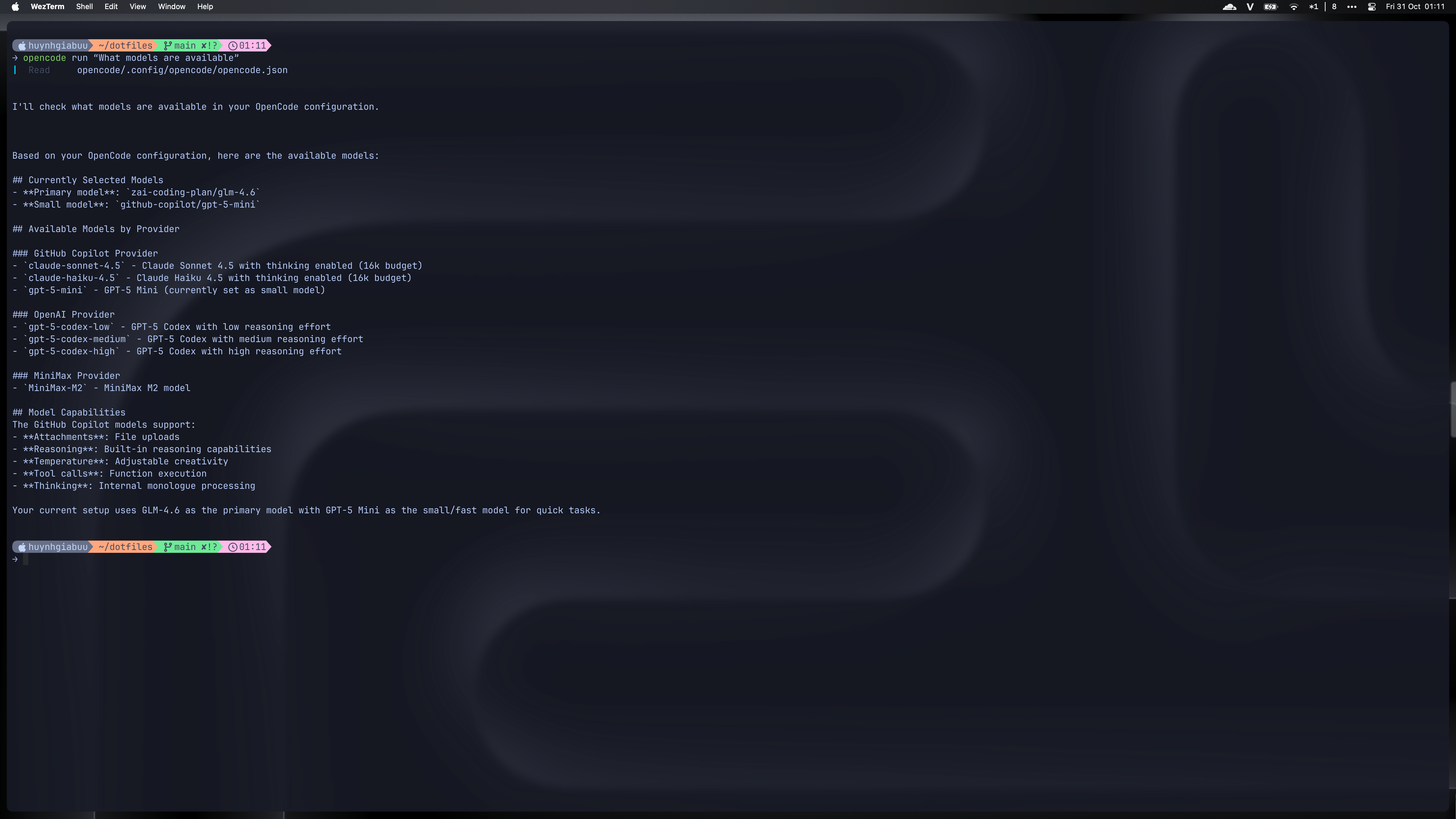
TUI (Terminal User Interface):
opencode # Mở giao diện tương tác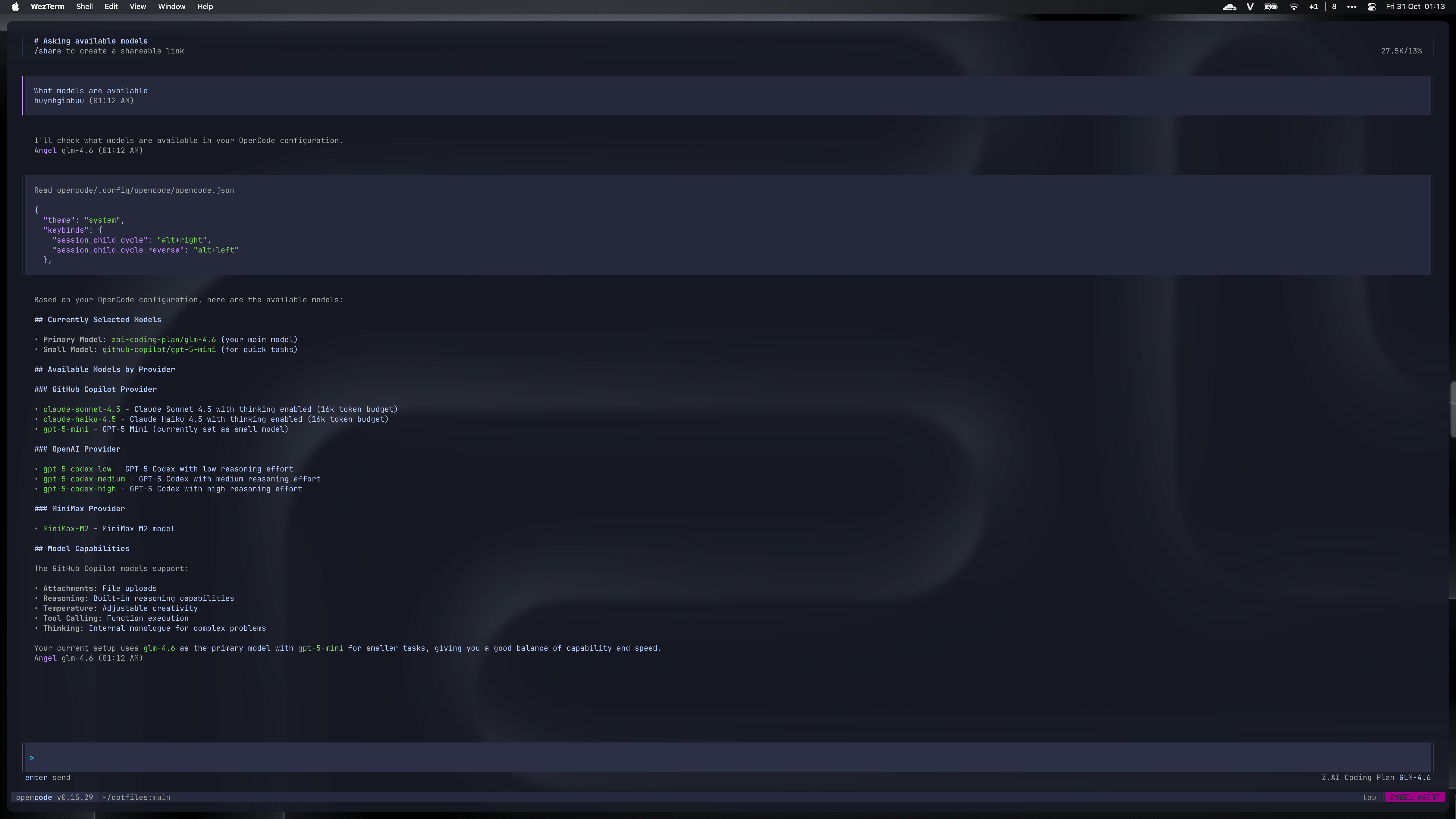
Tại sao TUI quan trọng?
Giao diện visual giúp bạn thấy rõ conversation flow
Multi-pane layout cho debugging hiệu quả
Real-time interaction với AI
Context switching nhanh giữa các tasks
B. Built-in commands trong TUI (Theo docs chính thức)
OpenCode cung cấp hơn 20 commands trong TUI:
Navigation commands:
/models- Xem danh sách models (Ctrl+X M)/themes- Chọn theme (Ctrl+X T)/sessions- Switch giữa sessions (Ctrl+X L)
Session management:
/new- Bắt đầu session mới (Ctrl+X N)/undo- Hoàn tác thay đổi (Ctrl+X U)/redo- Làm lại (Ctrl+X R)/export- Export conversation (Ctrl+X X)
Development tools:
/editor- Mở external editor (Ctrl+X E)/init- Update AGENTS.md (Ctrl+X I)/details- Toggle tool details (Ctrl+X D)
2. Setup terminal chuẩn senior dev
A. Terminal requirements (Theo docs)
Truecolor support bắt buộc:
# Kiểm tra terminal bạn

echo $COLORTERM

# Kết quả: truecolor hoặc 24bit
Nếu không có truecolor:
# Thêm vào ~/.zshrc hoặc ~/.bashrc

export COLORTERM=truecolor
Recommended terminals:
Mac: iTerm2, Alacritty, WezTerm
Linux: Alacritty, Kitty, GNOME Terminal
Windows: Windows Terminal, WezTerm
B. Tối ưu scroll speed (Theo docs)
OpenCode cho phép điều chỉnh scroll speed trong config:
{

  “$schema”: “https://opencode.ai/config.json”,

  “tui”: {

    “scroll_speed”: 3

  }

}
Giải thích:
1: Chậm, phù hợp debug chi tiết2: Default, balanced3: Nhanh, phù hợp code review4: Rất nhanh, cho power users
3. Themes & Visual Customization
A. Built-in themes (Theo docs)
OpenCode có 15+ themes built-in:
Popular themes:
opencode- Default theme của OpenCodetokyonight- Dark blue, phổ biến với dev Việteverforest- Green earthy tonescatppuccin- Pastel colors, dễ nhìngruvbox- Retro groove colorsnord- Arctic blue tones
Special themes:
system- Tự động adapt theo terminalmatrix- Hacker style green-on-black
B. Chọn theme nhanh
# Trong OpenCode TUI

/themes

# Hoặc trong config

{

  “theme”: “tokyonight”

}
C. Custom themes (Advanced)
Tạo theme riêng trong ~/.config/opencode/themes/my-theme.json:
{

  “$schema”: “https://opencode.ai/theme.json”,

  “theme”: {

    “primary”: { “dark”: “#00ff00”, “light”: “#008800” },

    “background”: { “dark”: “#000000”, “light”: “#ffffff” },

    “text”: { “dark”: “#ffffff”, “light”: “#000000” }

  }

}
4. Keybinds Optimization
A. Leader key system (Theo docs)
OpenCode dùng leader key để tránh conflict:
Default: `Ctrl+X`
Sau đó nhấn phím chức năng
Ví dụ workflow:
Ctrl+X(leader)M(models)Chọn model từ list
B. Essential keybinds cho daily work
Navigation nhanh:
Ctrl+X M- Models listCtrl+X T- ThemesCtrl+X L- Sessions
Session management:
Ctrl+X N- New sessionCtrl+X U- Undo changesCtrl+X R- RedoCtrl+X X- Export
Development tools:
Ctrl+X E- External editorCtrl+X I- Init projectCtrl+X D- Toggle details
C. Custom keybinds trong config
{

  “keybinds”: {

    “leader”: “ctrl+x”,

    “model_list”: “ctrl+x m”,

    “theme_list”: “ctrl+x t”,

    “session_new”: “ctrl+x n”

  }

}
5. Focus Mode cho Deep Work
Kích hoạt focus mode với theme phù hợp:
{

  “theme”: “matrix”, // Hacker theme

  “tui”: {

    “scroll_speed”: 1 // Slow, deliberate

  }

}
Workflow focus mode:
Chọn theme tối (matrix, tokyonight)
Giảm scroll speed xuống 1
Tắt notifications ngoài
Full screen terminal
Single task focus
6. Performance Optimization
A. Terminal performance tuning
iTerm2:
# Preferences > Profiles > Terminal

- Unlimited scrollback

- Enable mouse reporting

- Use built-in powerline glyphs
Alacritty :
# ~/.config/alacritty/alacritty.yml

scrolling:

  history: 100000

  multiplier: 3

font:

  size: 14.0

  normal:

    family: “Fira Code”
B. Memory và CPU optimization
Large projects:
Dùng `/compact` để summarize sessions
Limit scrollback history
Disable animations nếu cần
Multi-session workflow:
Switch sessions thay vì duplicate
Export old sessions để archive
Use `/new` cho clean state
7. Real-world Workflows
A. Daily development workflow
Morning setup (2 phút):
Mở terminal
opencode→ vào project/models→ chọn model phù hợp/themes→ chọn theme theo mood
Coding session:
Ctrl+X E→ mở external editorCode với AI assistance
Ctrl+X U→ undo nếu cầnCtrl+X X→ export khi xong
B. Code review workflow
Review mode:
/themes→ chọn theme sáng (dễ đọc)/details→ bật tool detailsReview code với AI
Export recommendations
C. Debugging workflow
Debug mode:
Focus mode với theme tối
Multi-pane layout
Step-through với AI
Document findings
8. Common TUI Mistakes
1. Terminal không hỗ trợ truecolor
Sai: Dùng default Terminal.app trên Mac cũ
Đúng: Upgrade lên iTerm2 hoặc Alacritty
2. Scroll speed quá nhanh
Sai: Để default speed cho mọi task
Đúng: Điều chỉnh theo task: 1 cho debug, 3 cho review
3. Không dùng keybinds
Sai: Chỉ dùng mouse và commands
Đúng: Học 10 keybinds essential để tăng tốc
4. Theme không phù hợp
Sai: Dùng theme mặc định cho mọi hoàn cảnh
Đúng: Dark cho coding, light cho review, focus mode cho deep work
9. Kết luận: Bạn đã có workstation chuyên nghiệp
Sau bài này, bạn có:
✅ Terminal optimized - Truecolor, performance, layout
✅ TUI mastery - Commands, keybinds, themes
✅ Workflow chuẩn - Daily, review, debug modes
✅ Focus mode - Deep work capability
✅ Productivity tăng - 3x faster interaction
Challenge: Setup TUI theo hướng dẫn, sau đó dùng 1 tuần. Note lại:
Theme nào bạn thích nhất?
Keybind nào tiết kiệm thời gian nhất?
Focus mode có giúp bạn tập trung không?
Next step: Trong bài 5, tôi sẽ dạy bạn Commands & Automation - tự động hoá mọi thứ với custom commands. Bạn sẽ thấy cách biến 80% công việc lặp đi lặp lại thành 5 phút setup!
Homework: Thử 3 themes khác nhau trong 3 ngày, sau đó chọn theme phù hợp nhất. Test focus mode với scroll_speed = 1. Share screenshots để cùng discuss!